When this happens, do that.
Dazr Automations does the steps between your Dazr apps for you. A deal is won in CRM, a form goes to the customer, and their answers arrive in Desk as a ticket. Each automation reads as a few plain sentences, and it runs as you.
Part of Dazr Starter, Pro and Enterprise. Web addresses for outside tools come with Pro.
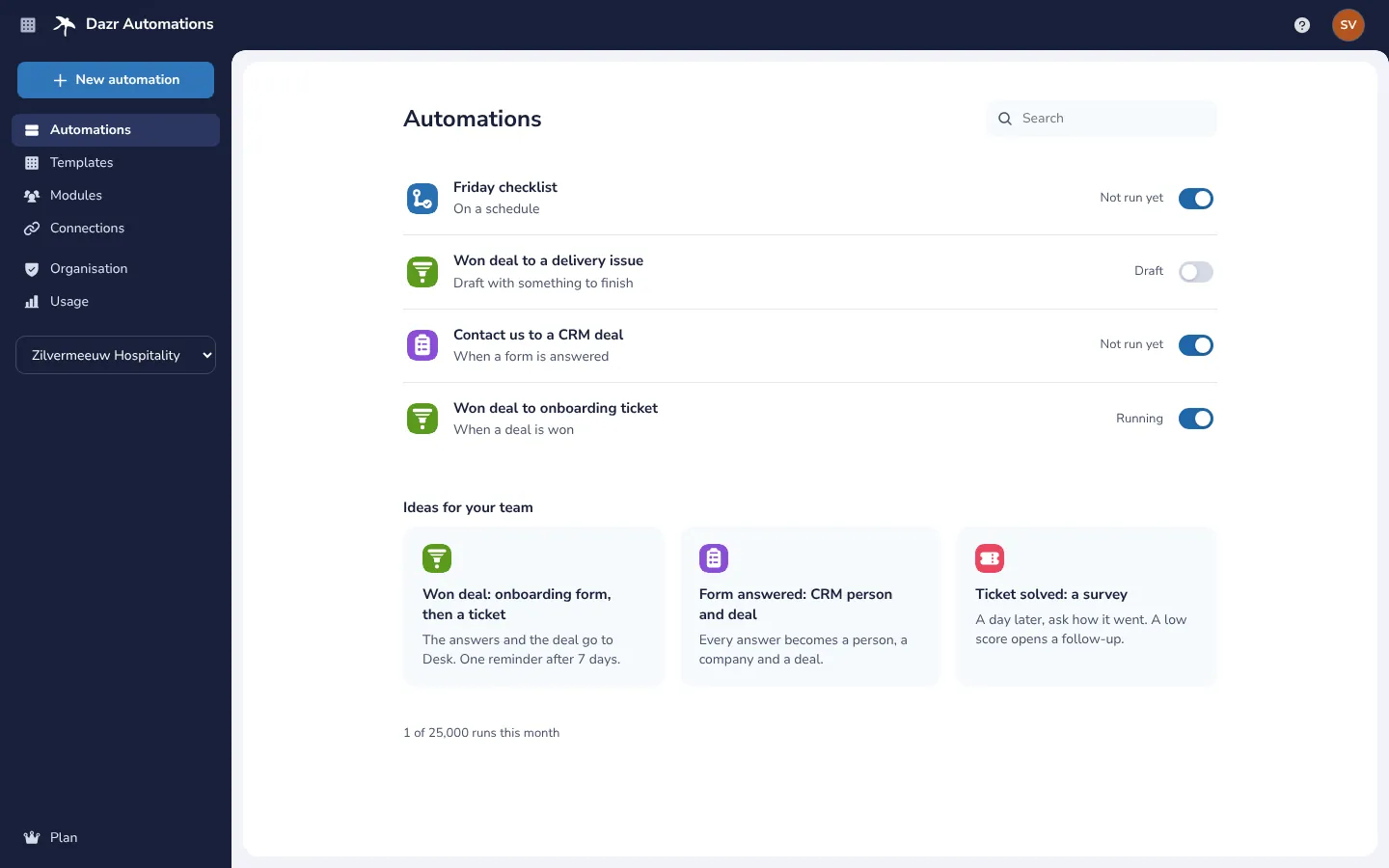
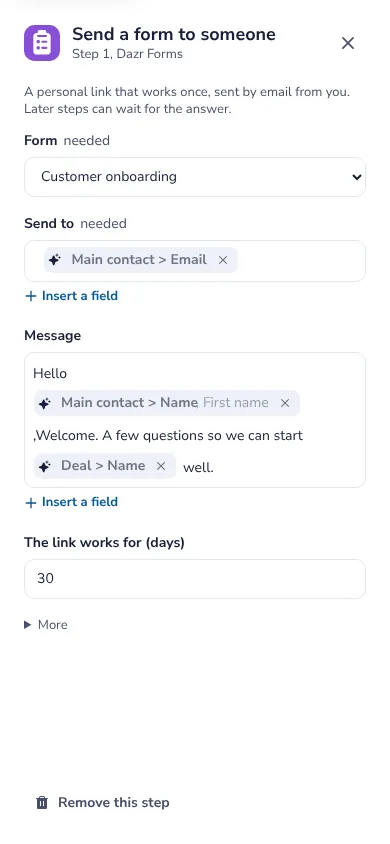
The automations of a hospitality company, with ideas for the team below. On the right, a step’s settings on a phone.
Read it like a sentence.
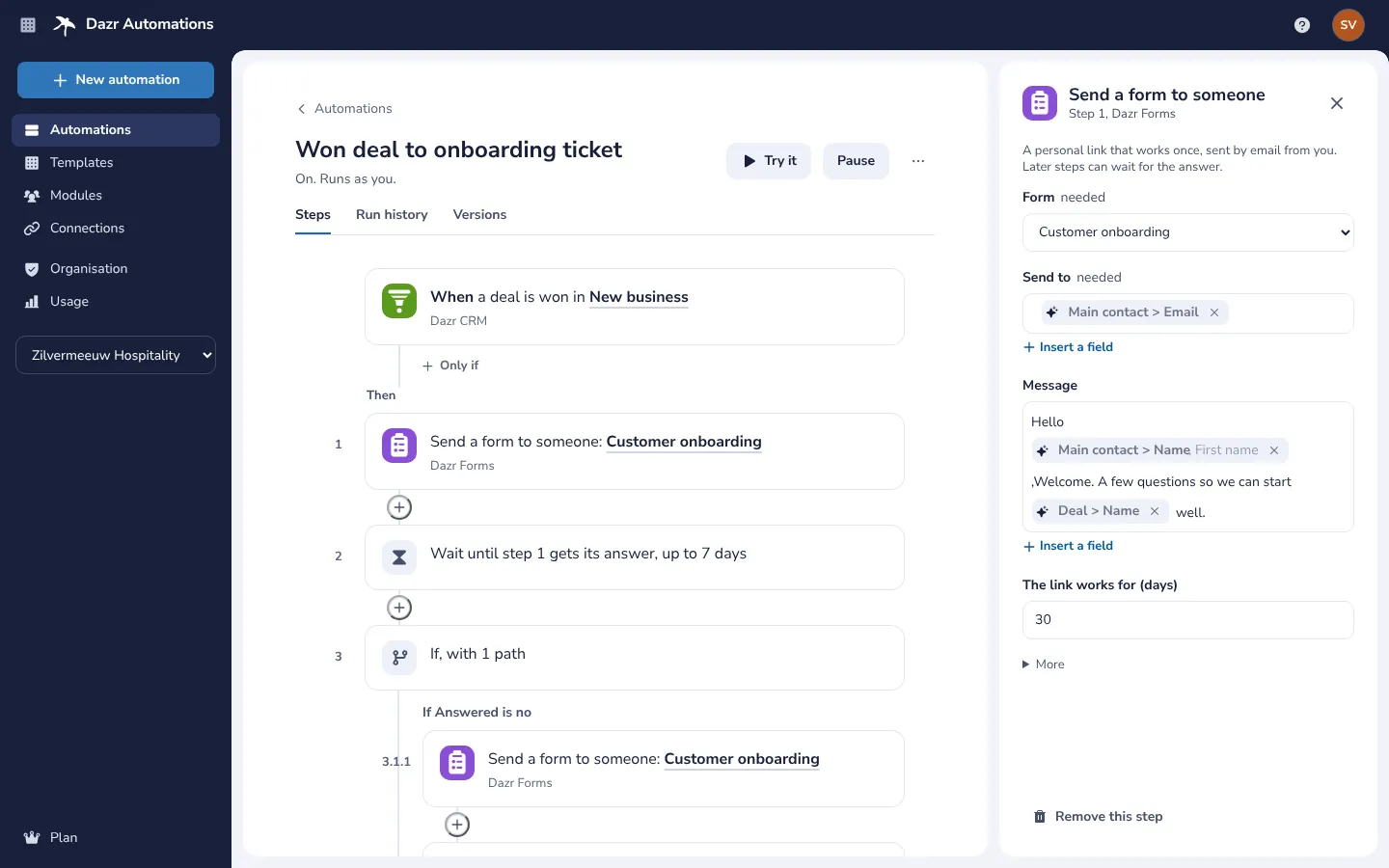
When something happens, only if it matches, then these steps. No canvas and no wires.
When, Only if, Then
Every automation starts with one When: something that happens in a Dazr app, a schedule, or the Run button. Only if narrows it down. Then lists the steps, numbered, in one column you read from top to bottom.
- Insert a field from an earlier step, such as Main contact > Email.
- Wait a set time, until a date, or until a form you sent gets its answer.
- If and Otherwise for different paths, For each for every item in a list.
- On a phone, a step’s settings open as a full-screen sheet.
Steps in your Dazr apps.
Seven apps and the built-in steps, in one list you can search.
When a deal is added, moves to a stage, is won or lost. Create and update deals, people and companies, add notes and next steps.
When a form is answered. Send a form with a personal link that works once, and wait for the answer.
When a ticket comes in, changes status or is solved. Create, update and assign tickets and add internal notes. With Pro.
When an issue is created, assigned or done. Create an issue or comment on one. With Pro.
Post in a Teams channel, create a wiki page or create a note.
On a schedule, once at a set time, or when you press Run. Tell someone in Dazr, make text, calculate a number, look up in a table.
Try it before it runs.
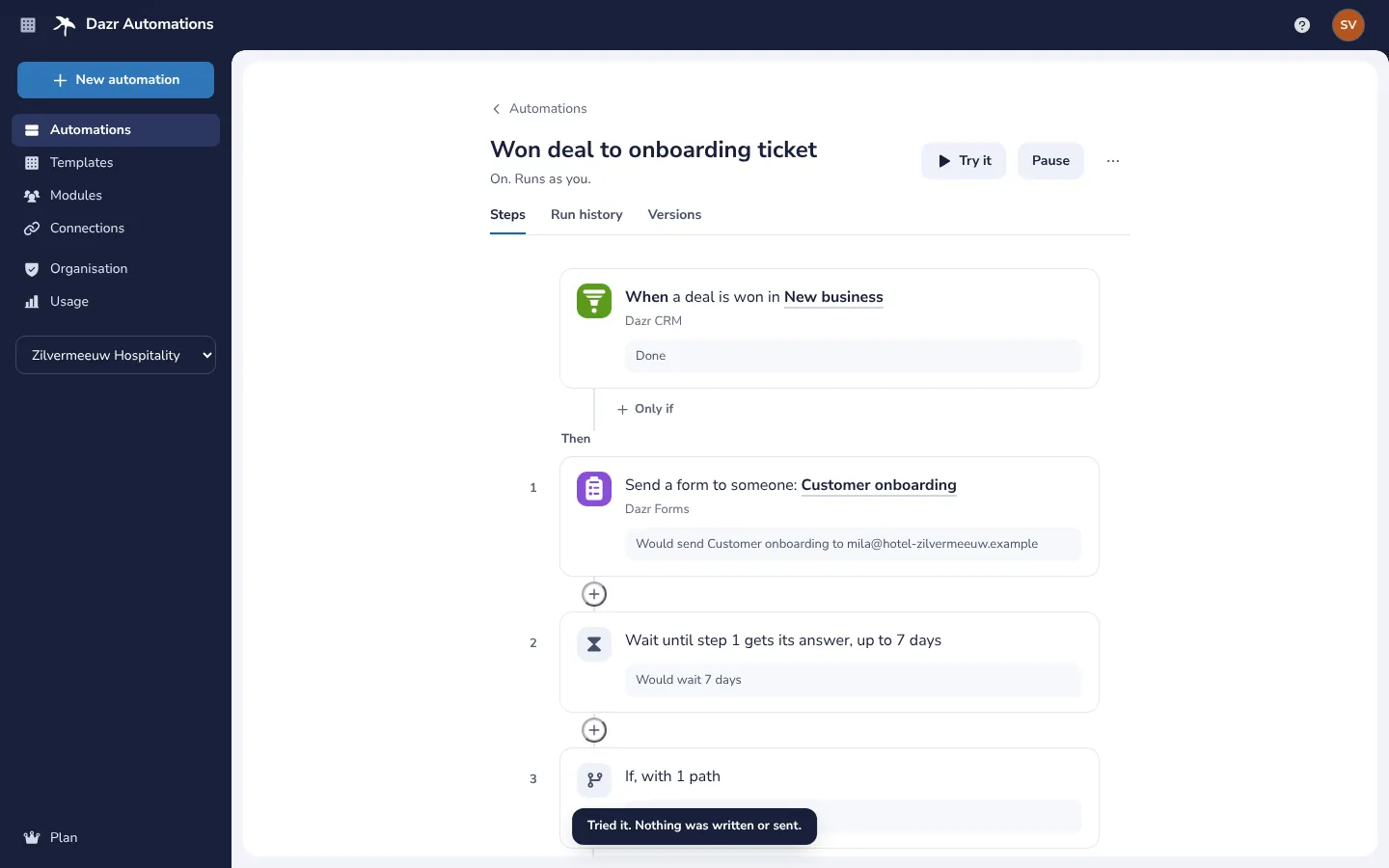
See what every step would do, with your own data, before anything happens.
A dry run with real data
Try it runs every step with a recent record or with sample data. Reads are real, as you, but nothing is written or sent: each card says what it would do, such as Would send Customer onboarding to the main contact.
- Waits are skipped and shown as Would wait 7 days.
- A problem shows on its card in words, until you fix it.
- Run once for real asks first, and then runs every step as you.
See what happened.
Every run, in the same words as the steps.
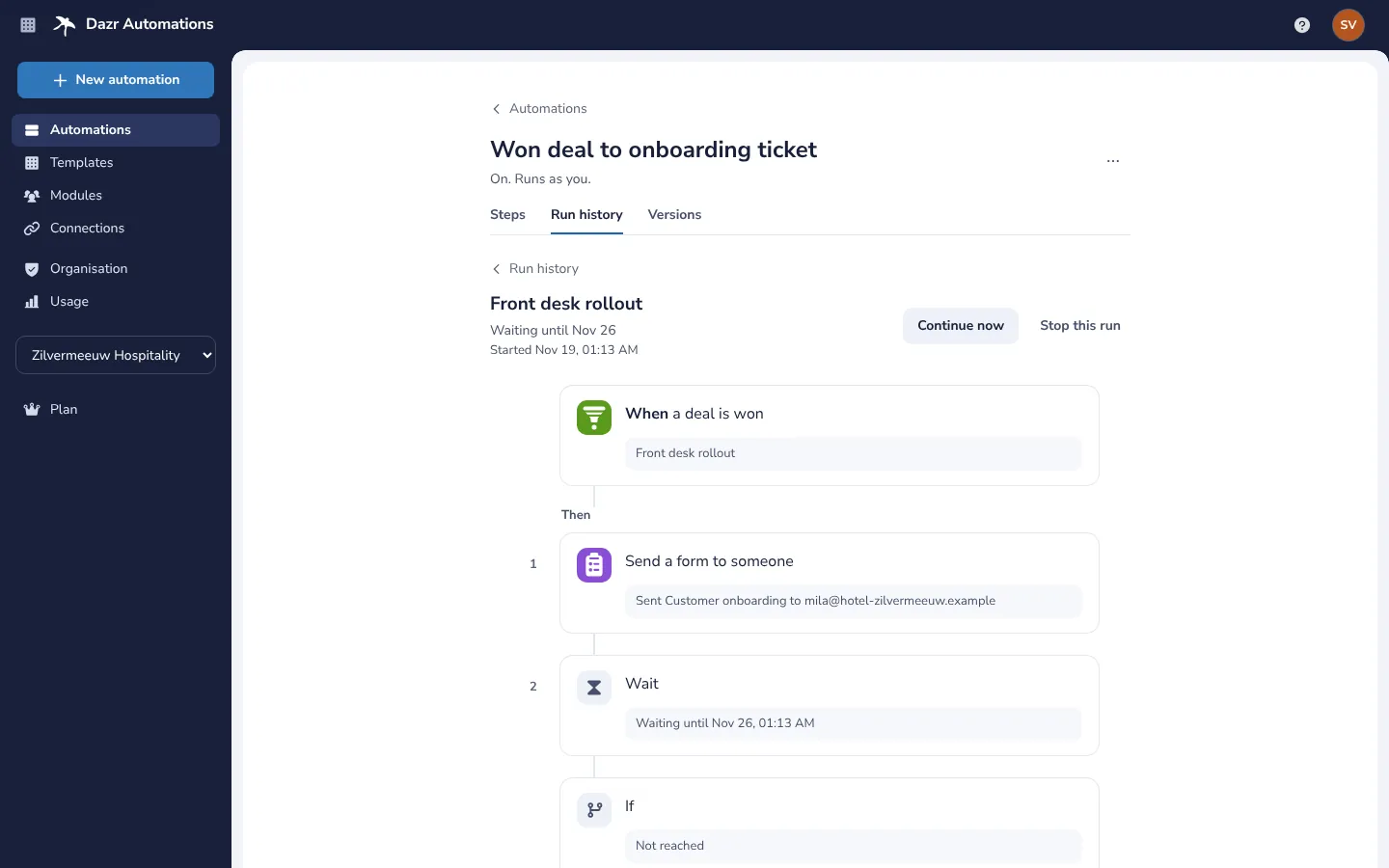
Every run with what started it, its status in words and when it started.
The same cards, each with what it did: Sent Customer onboarding, Waiting until 26 November, Not reached.
A waiting run can continue now or stop. A failed run can try again from the step that failed.
Every save is a version, with a line on what changed. Restore an earlier one as a new version.
Pause an automation and nothing new starts until you switch it on again.
Keep an automation’s definition as a file of your own.
Start from a template.
Grouped by goal and filtered by app. Most need two or three choices.
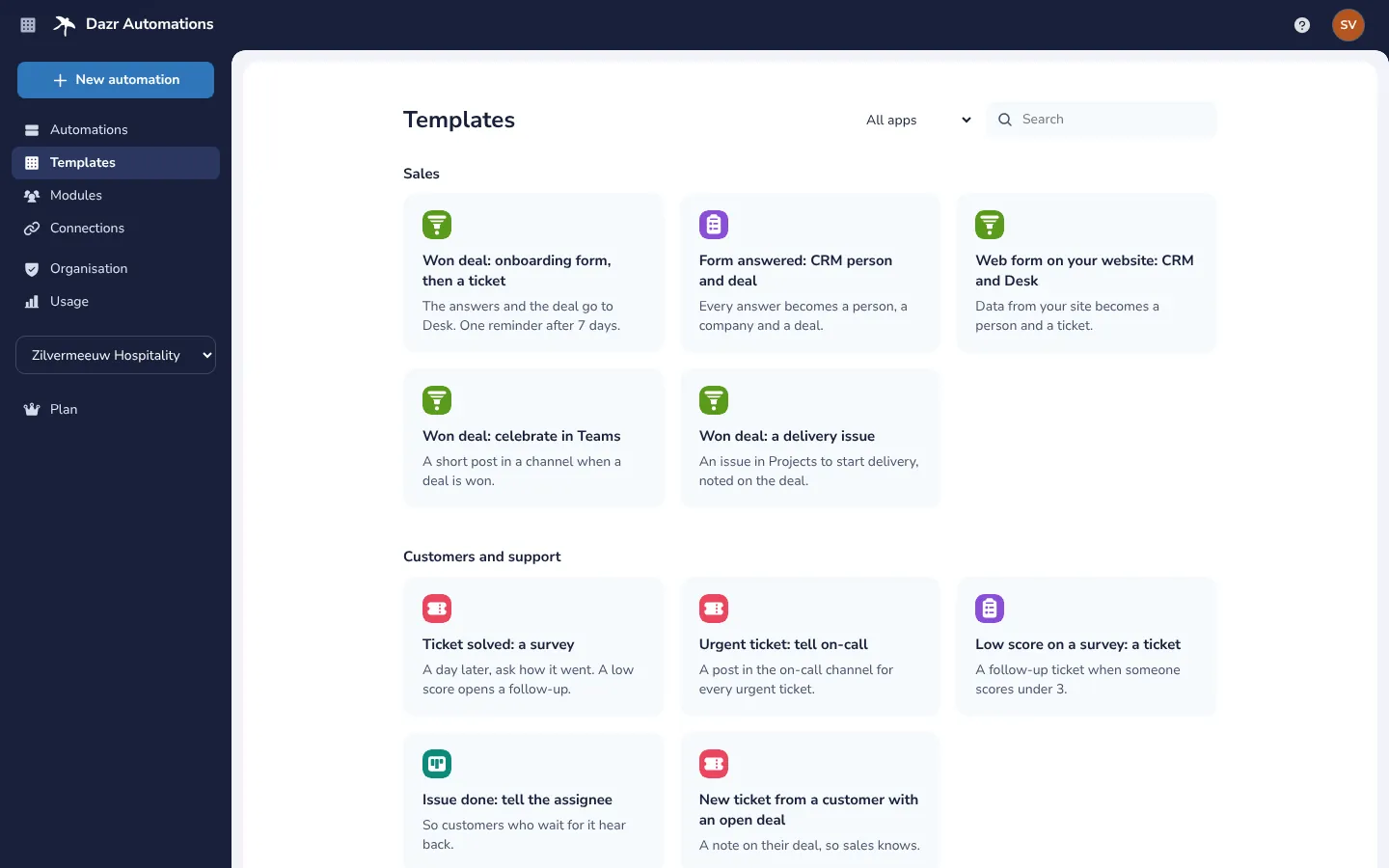
The answers and the deal go to Desk. One reminder after 7 days.
Every answer becomes a person, a company and a deal.
A day later, ask how it went. A low score opens a follow-up.
Your admins stay in charge.
An automation never does more than its owner could do by hand.
Approval for what leaves the company
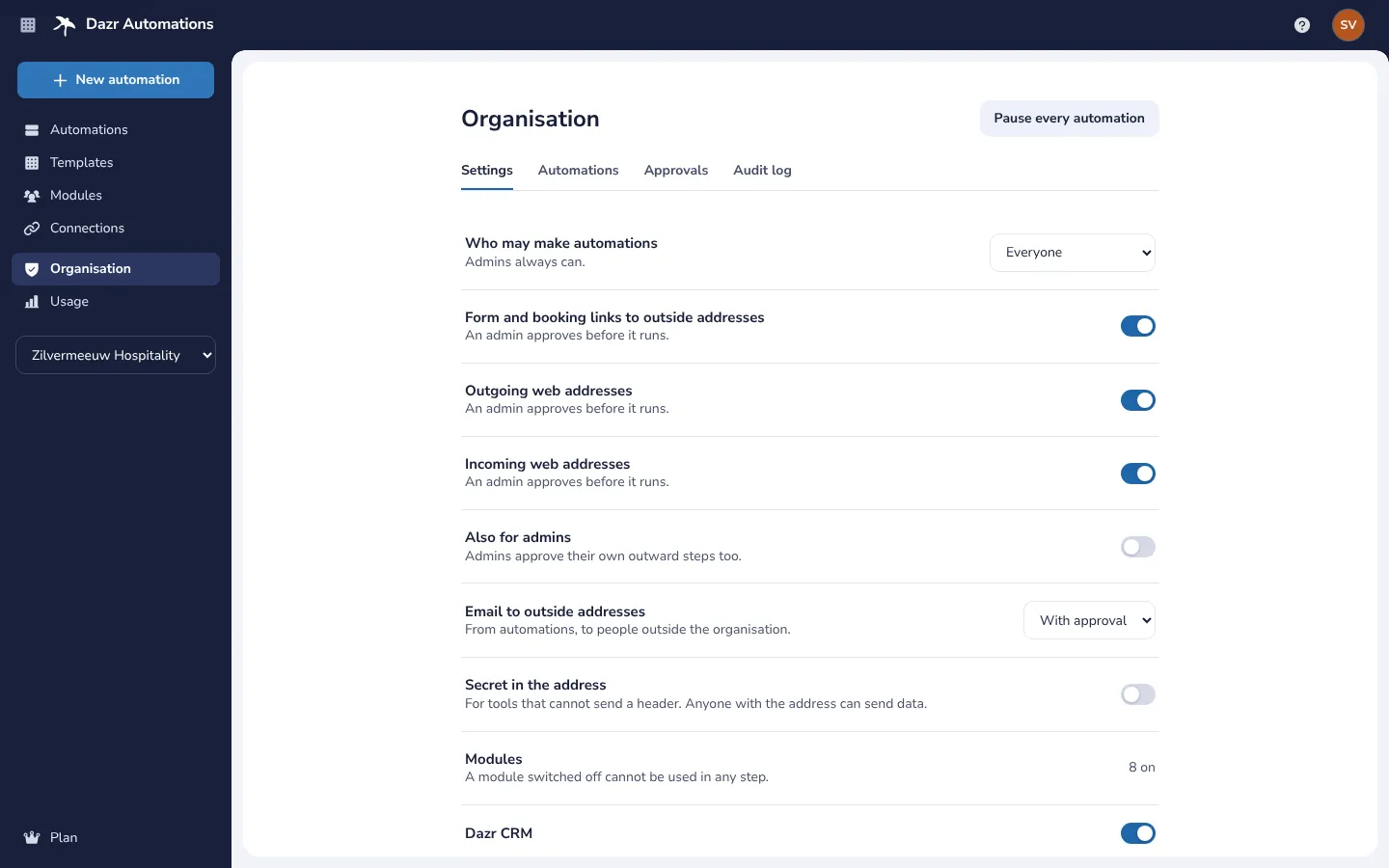
An automation runs as the person who made it, with their access as it is at that moment. Steps that reach outside your organisation, such as email or form links to outside addresses and web addresses, wait for an admin’s approval before the automation runs for real.
- Admins choose who may make automations.
- Switch a module off for the whole organisation.
- Every automation in one list: pause, delete or take one over.
- An audit log, and Pause every automation in one switch.
Outside tools, with Pro.
For your website or another tool, through web addresses.
A web address that receives data, from a form on your website for example, and starts an automation. Secured with a signature or a token.
Send the fields you choose to a destination saved in Connections, signed with its own secret.
Hand over to another automation, or ask a colleague to approve before the next step.
Private by design.
Built and stored in Europe, keeping as little as it can.
Automations, their versions and their runs are encrypted and stored in the EU, by Dazr, a company in Italy, under European law.
A run keeps only the fields that later steps or conditions use. Everything else a step read is dropped right after it.
The person who made an automation sees the data of its runs. Admins see the steps, statuses and times, never the values.
Trust centreData processing agreementWorkflow automation and the GDPR
Part of Starter, Pro and Enterprise.
Dazr Automations is included in the Dazr Suite plans for organisations, with no separate price.
10 active automations and 2,000 runs a month. Schedules as often as every hour.
100 active automations and 25,000 runs a month, schedules every 15 minutes, web addresses, hand over and approvals.
1,000 active automations and 250,000 runs a month, and schedules every 5 minutes.
See pricingA European Zapier alternativeA European Make alternative
Questions and answers.
Which plans include Dazr Automations?
Dazr Starter, Pro and Enterprise, for the organisation. It is not part of Free and Personal. See pricing
What counts as a run?
One start that passed its Only if. Events that do not match are not counted, and neither are tries.
Which apps can an automation use?
Dazr CRM, Forms, Teams, Wiki and Notes, and the built-in steps. Dazr Desk and Projects come with Pro, so their steps do too. An automation only uses the apps its owner can use.
Can it work with tools outside Dazr?
Yes, with Pro and Enterprise, through incoming and outgoing web addresses. There is no catalogue of outside apps.
What happens at the monthly limit?
New runs do not start until the next month, and each is recorded as not run. Runs already going finish, and nothing changes in your apps.
Where is my data stored?
Encrypted, in the EU, by Dazr, an Italian company. We do not sell your data or use it for advertising.
Let the steps in between take care of themselves.
Dazr Automations is part of Dazr Starter, Pro and Enterprise.